
Dawn of War 4 Army Painter
Try the official Painter Demo on Steam, compare the two paint modes and learn how to share and keep a scheme.
Army Painter in action
Deep Silver mediaOfficial Army Painter guide
See the switch from applying one scheme across an army to painting individual armor parts.
Watch on Vimeo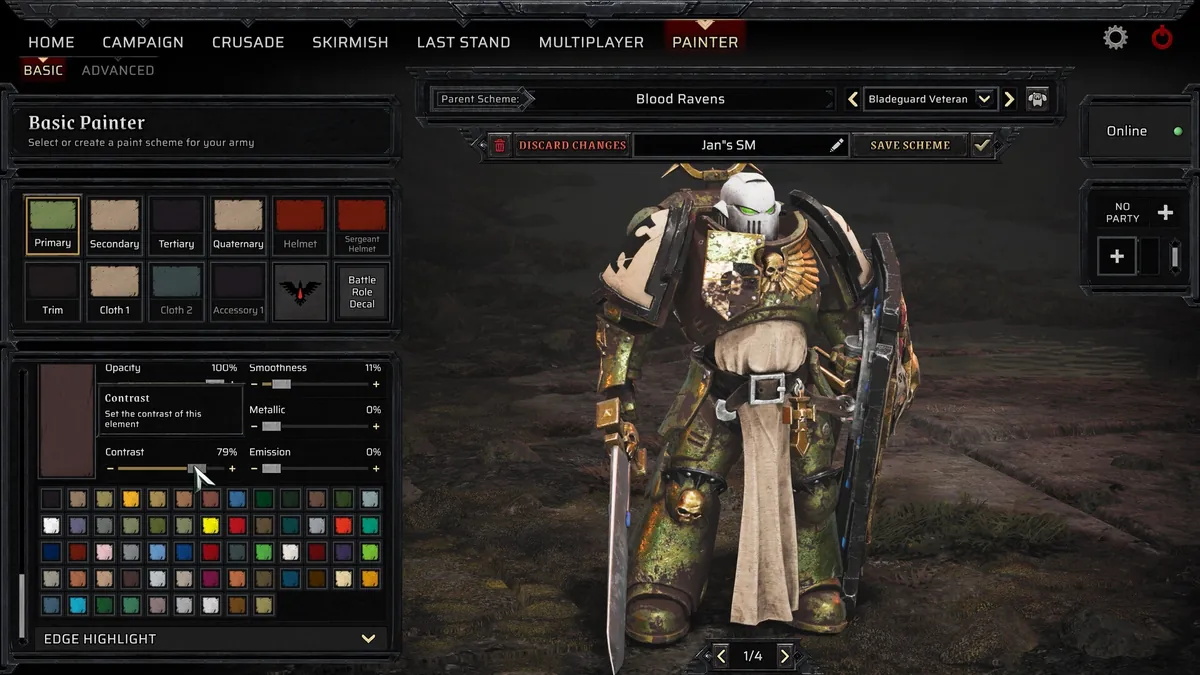 (open full screenshot in a new tab)
Where to get the Painter Demo
Deep Silver released the free official Painter Demo on Steam on November 26, 2026. Open the Steam store page and look for Painter Demo above the game purchase options. The demo is an army customization preview. The base game has its own Steam unlock schedule. Official Painter Demo announcement
Basic and Advanced Painter
Basic Painter applies a color scheme across an army. It is the quicker way to see how a palette looks across different units. Advanced Painter lets you work on individual armor or body parts, changing materials, patterns, decals and weathering. The demo includes units from all four factions. Deep Silver's Painter feature guide
Save, share and import a design
Save your scheme in the demo to keep it for the full game. The official announcement confirms that you can import saved designs into Dawn of War IV. It also describes unique sharing codes for sending schemes to other players. Keep the code with the version you plan to share so recipients can identify the intended design. Publisher's guide to saving and sharing
For a broader look at army customization in the full game, watch the official gameplay overview.
Sources checked November 28, 2026.